Rendevo is live. Prospects answer your questions before they book. Get started free

QUALIFY FIRST. SELL MORE.

Spend your sales calls on buyers.

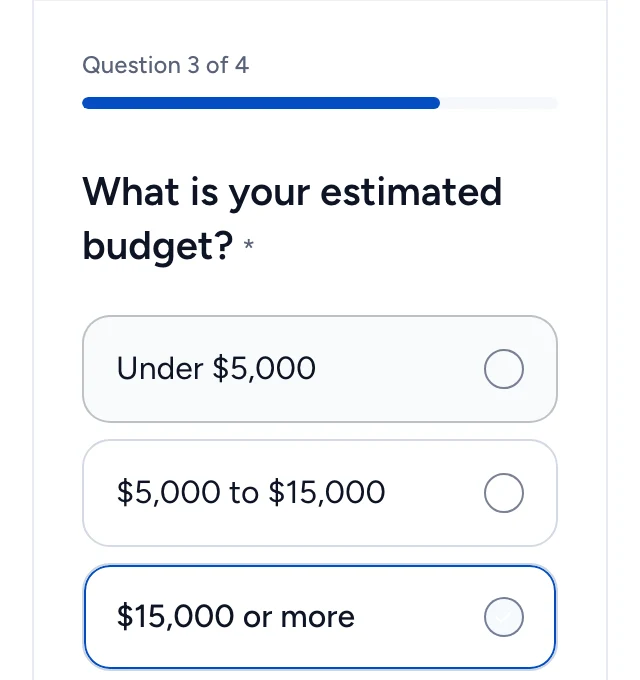
Prospects answer your questions before they book. Rendevo applies your rules, filters out poor fits, and lets qualified prospects book on your calendar.

Free plan, no credit card

  • Free plan, no credit card
  • Google Calendar and Google Meet
  • Stripe payments at booking
  • Leads scored out of 100

Four outcomes

Your rules decide what happens before a time slot is offered.

  • Qualified

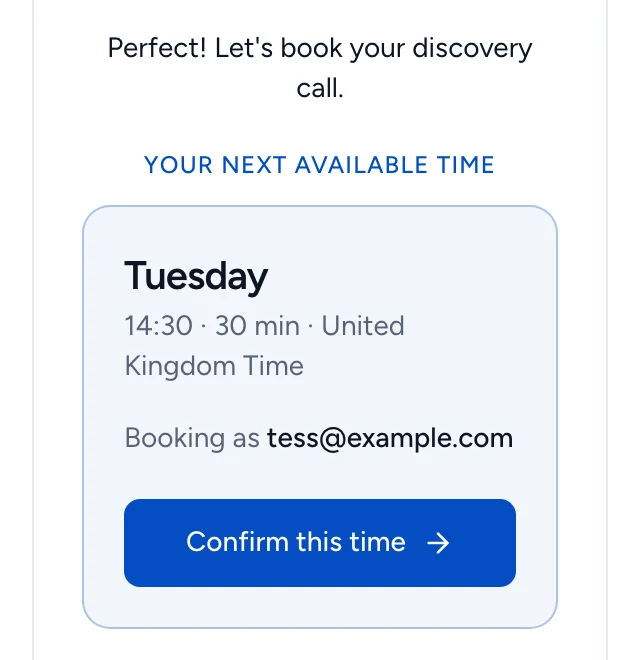
    The calendar opens and they pick a time.

  • To review

    They can book, and the lead waits in Leads for you to check before the call.

  • Routed Team

    On Team, a rule assigns the lead to a teammate, who hosts the call.

  • Not a fit

    A polite decline in your words. Your calendar stays closed.

Set your qualification rules. Share your link. Rendevo handles the rest.

See it work

Qualify every lead
before it books.

Every lead is saved from the first step.

Name and work email are saved as soon as the prospect continues, before any qualification question. Anyone who stops halfway still shows up in your leads.
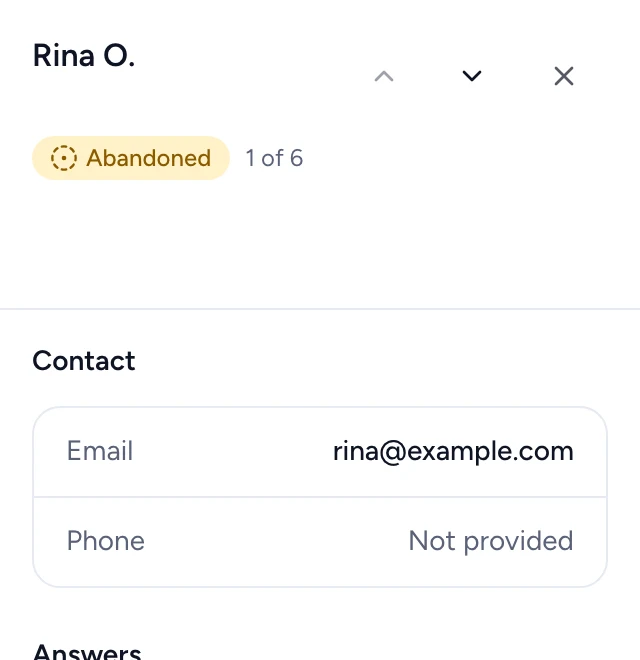
  • Saved before the first question
  • Answers save as the prospect goes
  • Unfinished submissions listed as Not finished
Screenshot: Every lead is saved from the first step.

What you get

Everything between your link
and a qualified call.

Score

Give each answer points, weighted per question. You get a score out of 100 once answers have points.

Learn more: Score

Disqualify

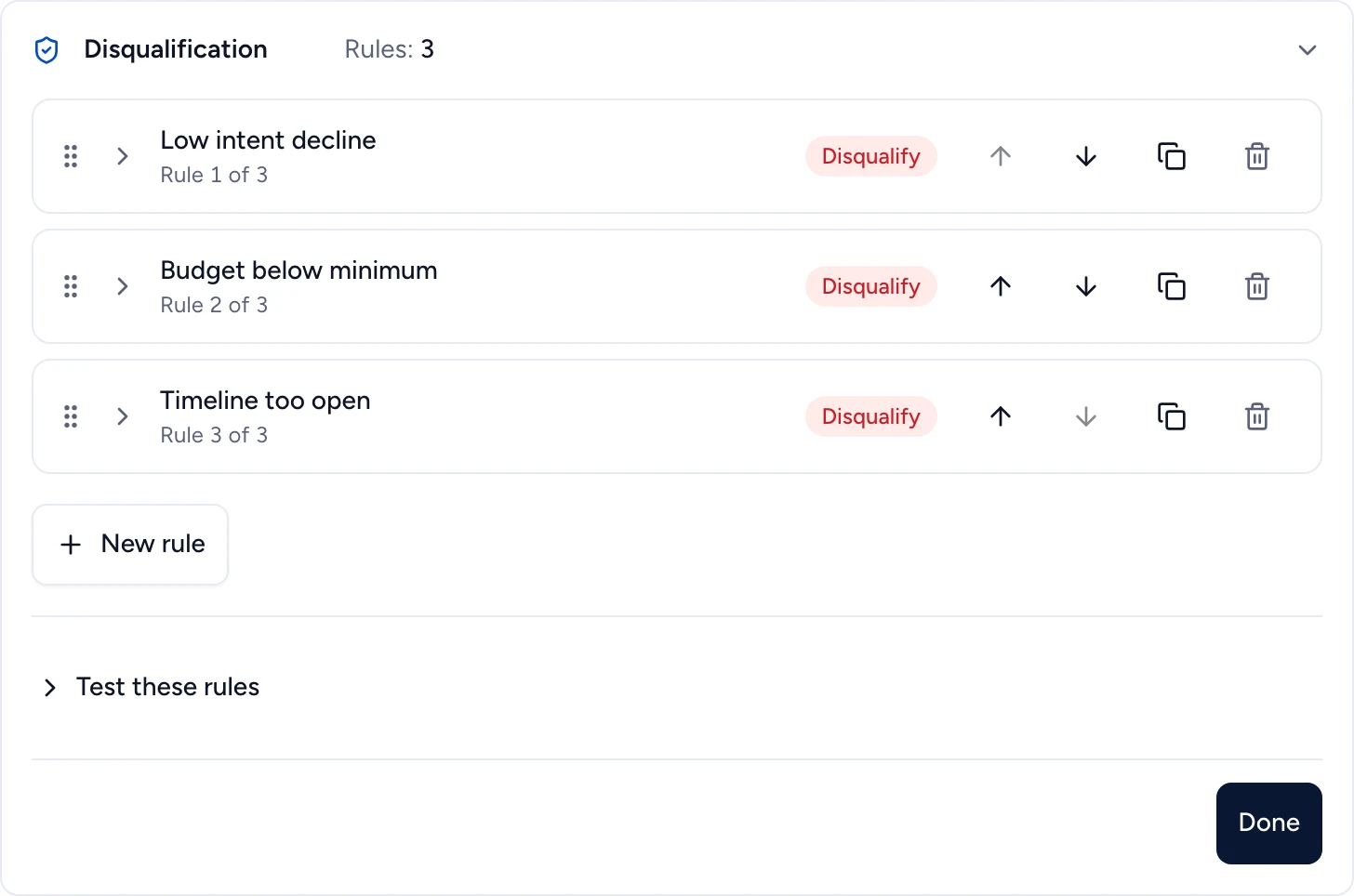
A rule on any answer or on the score turns a poor fit away. They read your message and never see your calendar.

Learn more: Disqualify

Route to a teammate Team

A rule sends a matching lead to a specific teammate, who hosts the call.

Learn more: Route to a teammate
AI · Pro

AI qualification

Says whether each criterion you write is met, with a reason, plus an overall score. It never declines or books anyone: at most it flags a lead for your review. Off until the workspace owner switches it on, on Pro and Team.

Learn more: AI qualification

Book and get paid

Free and busy times come from your Google Calendar, with a Google Meet link for video meetings. Charge for the call with Stripe.

Learn more: Book and get paid

Built for

For agencies and consultants who sell on discovery calls.

Discovery calls only with prospects who have the budget.

See how agencies use Rendevo
Rendevo disqualification rules: three rules, including "Budget below minimum", each turning away poor fits before they see a time

Freelancer? See the freelancer setup

INTEGRATIONS

Connects to Google Calendar, Meet and Stripe.

Plus webhooks to Zapier, Make or n8n on paid plans, all from one booking link.

  • Google Calendar
  • Google Meet
  • Stripe
  • Zapier, Make, n8n (via webhooks, paid plans)
  • Google Calendar

    Free and busy times come from your calendar, and each booking lands on it.

  • Google Meet

    Video meetings get a Google Meet link.

  • Stripe

    Charge for the call. The booking is confirmed once payment succeeds.

  • Webhooks

    Send each lead to Zapier, Make, n8n or your own endpoint through webhooks, on paid plans.

Adel Zemzemi, founder of Rendevo

From the founder

"I was done taking calls that were never going to close: budget too low, timeline unrealistic, just exploring. A scheduling tool and a form builder never talked to each other, so I still screened everyone by hand. So I built Rendevo. Nobody gets a slot on my calendar until they answer my questions."
Adel Zemzemi, Founder, Vimatech Ltd

Frequently asked questions

Who is Rendevo built for?
Any team that books meetings with prospects: agencies, consultants, coaches, freelancers. If you want every sales call to start with the prospect's budget, timeline and fit, Rendevo is for you.
How long does it take to set up?
Pick a template, customize your questions, and share your link, no code required. Connecting a calendar and setting up rules are both optional at this stage: you can publish first and refine them afterward.
Do I still need Calendly?
No. Rendevo asks your questions and takes the booking itself, on your connected Google Calendar. Your Rendevo link replaces your Calendly link wherever you shared it, and there is nothing to import.
Won't good leads drop off at a form?
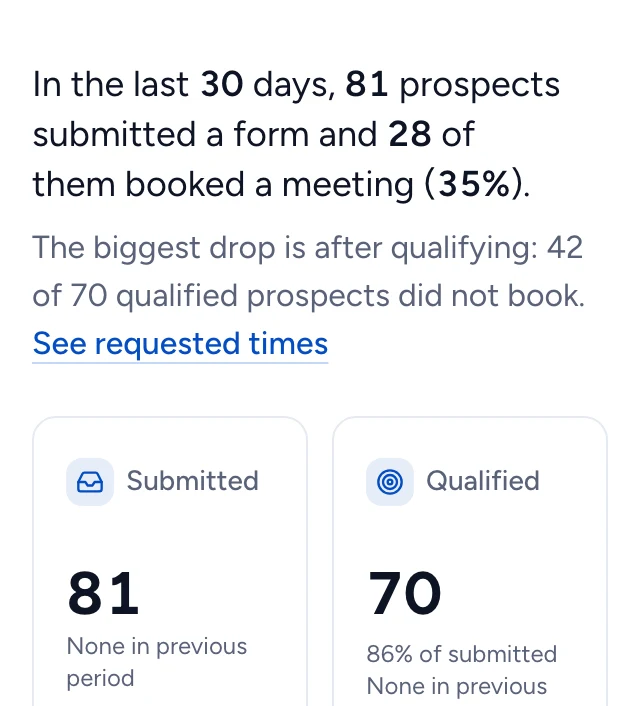
Some will if the form is long, so ask only what decides who gets a call. Answers are saved as the prospect goes, so anyone who stops halfway still shows up in your leads. On Pro, the dashboard shows the question where people drop off.
What happens to disqualified leads?
They read your message and never see your calendar. Add a link and they also get a button to a page you choose.
Is there a free plan?
Yes. The free plan includes 1 event with up to 10 questions and up to 10 bookings per month, per workspace. No credit card required.
Can I customize the qualification questions?
Question text, order, and required fields are yours to set on every plan. Conditional branching, showing or hiding questions based on previous answers, is available on Pro.
What does AI qualification read, and who decides?
AI qualification is off until a workspace owner switches it on, on Pro and Team, and it cannot be switched on in a recruitment workspace. It reads your questions and your prospect's answers, after automatic masking of email addresses, phone numbers, web addresses and the prospect's name, plus the criteria and any instructions you wrote, which are sent as written. It never receives the name, email or phone fields, the IP address or browser details. Masking can miss something, so keep personal details out of your criteria and instructions. It returns a suggestion, not a decision: it never declines anyone, a rule that reads it can only send a request to review, and below 80% confidence your rules read its suggestion as Review. If an assessment runs but fails, the request goes to review. If none can run, because the AI is unavailable or the monthly AI quota is used, your rules decide alone.

Spend your next sales call on a buyer.

Free plan, no credit card.